A private all-in-one workspace for your pages, calendar and tasks
Privt. Calendar and Privt. Work join your pages in Privt, and every title, note and comment in them is sealed on your device before it syncs.
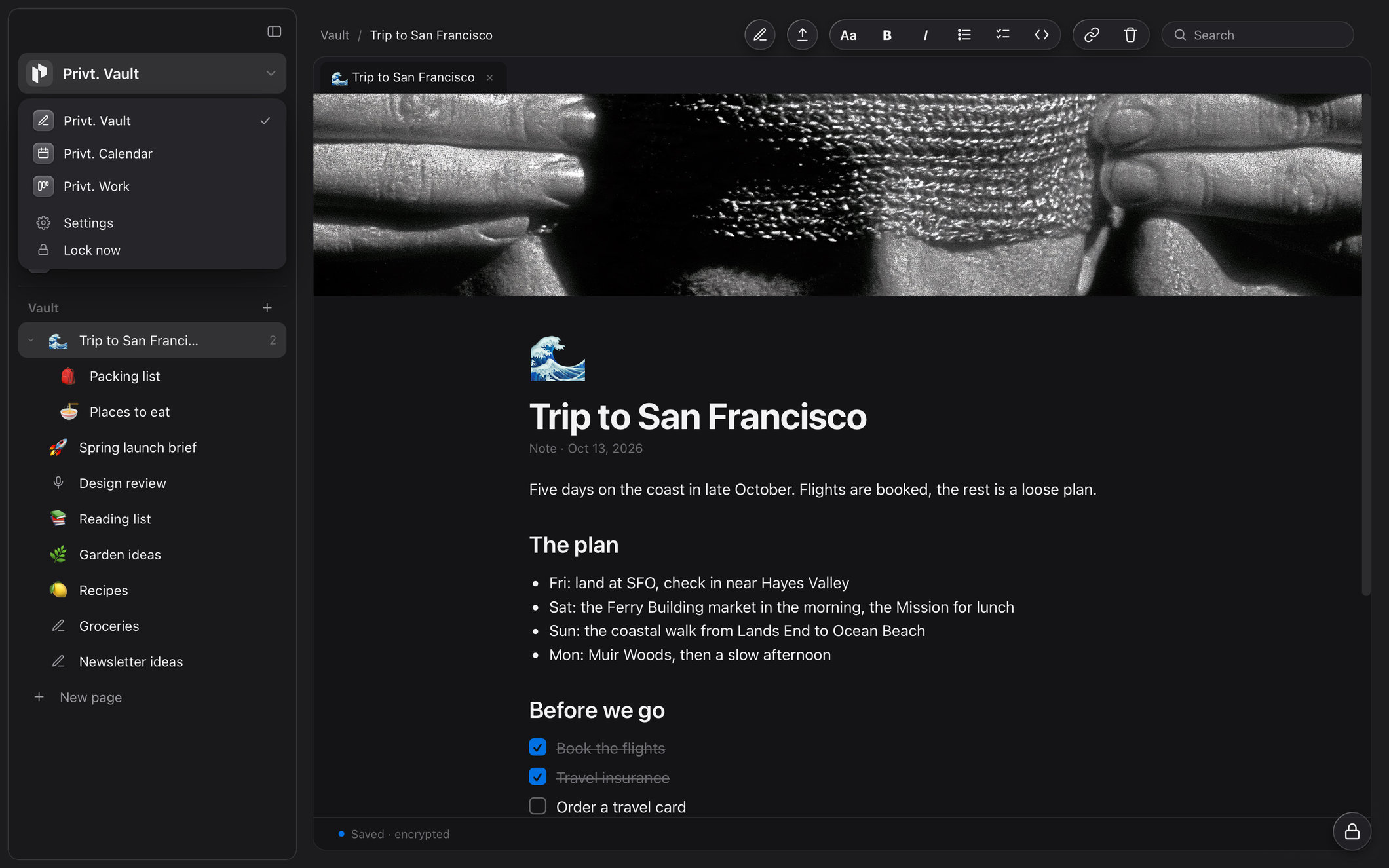
Privt is now a private all-in-one workspace, with your pages in Privt. Vault, your events in Privt. Calendar and your projects in Privt. Work, all in one app with one vault. “All-in-one workspace” is the phrase Notion used for itself for years, from a 2020 homepage that called it “the all-in-one workspace for your notes, tasks, wikis, and databases”; since 2025 its homepage has led with AI, as “The AI workspace that works for you.” Privt keeps the idea of one workspace for your pages, your week and your projects, and makes it a private alternative to Notion.
What changes is who can read what you store. Notion, Google Calendar and the big task apps encrypt your data in transit and at rest, and their own systems can still read it, which is how they index it, search it and, increasingly, pass it to AI. In Privt every page, event and task is sealed on your device before it syncs, which means it is encrypted end to end: the keys that open it are created on your device, and our servers hold them only in wrapped form, which they cannot open. Our cloud can read when an event happens and where a task sits on its board, and that small index is set out field by field below.
One workspace, three products
Privt. Vault, Privt. Calendar and Privt. Work share one vault, so they share one lock: lock Privt and your pages, events and tasks lock together. The page with your trip plans, the flight on Friday and the packing task due the day before sit behind one key, in one place.
Privt. Calendar seals every event
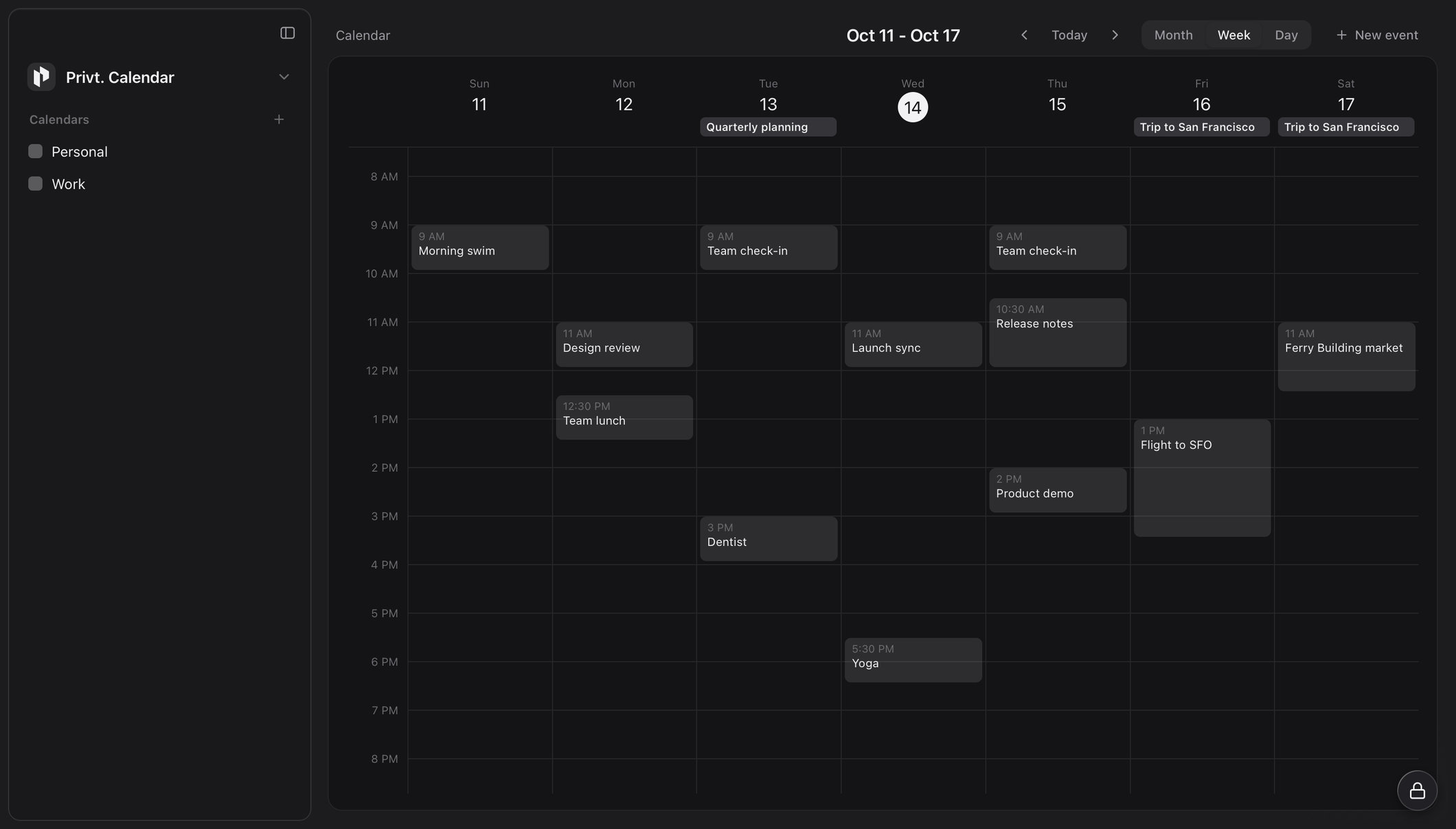
Each event’s title, place, notes and links are sealed in your vault the same way as a page, and so is the name of each calendar.
Privt. Work seals every task
Each task’s description, checklist, links and comments are sealed in your vault, down to the names of your projects and columns.
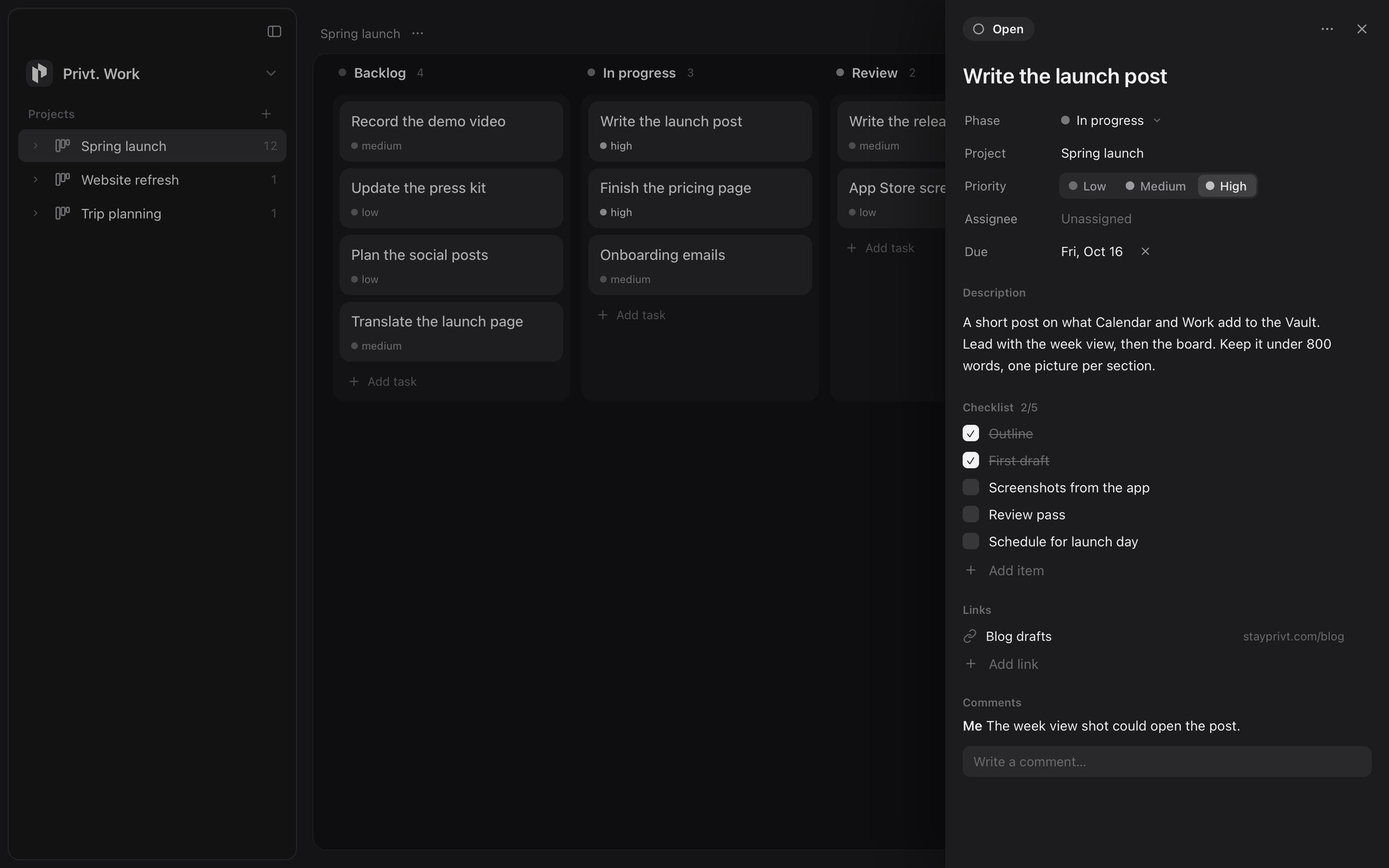
When an open task comes due, your Mac shows a notification that says only “A task is due.” macOS keeps delivered notifications on disk outside your vault, so a notification never carries a task’s title. Reminders come only from your Mac and only while Privt is unlocked: locking Privt clears them until you unlock it again, and our cloud sends none.
What our cloud holds for an event and a task
Our cloud stores each event and task sealed, along with a small index row it can read. The board below shows one project three ways: as you see it, as our cloud holds it, and as a typical cloud service can read it.
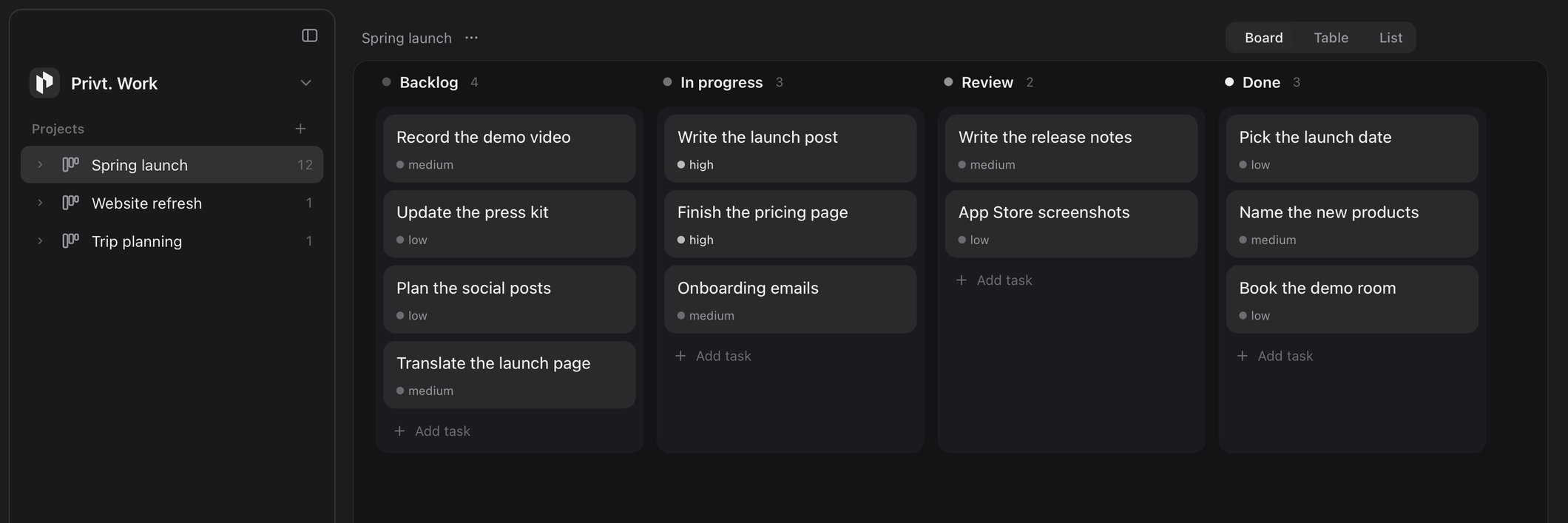
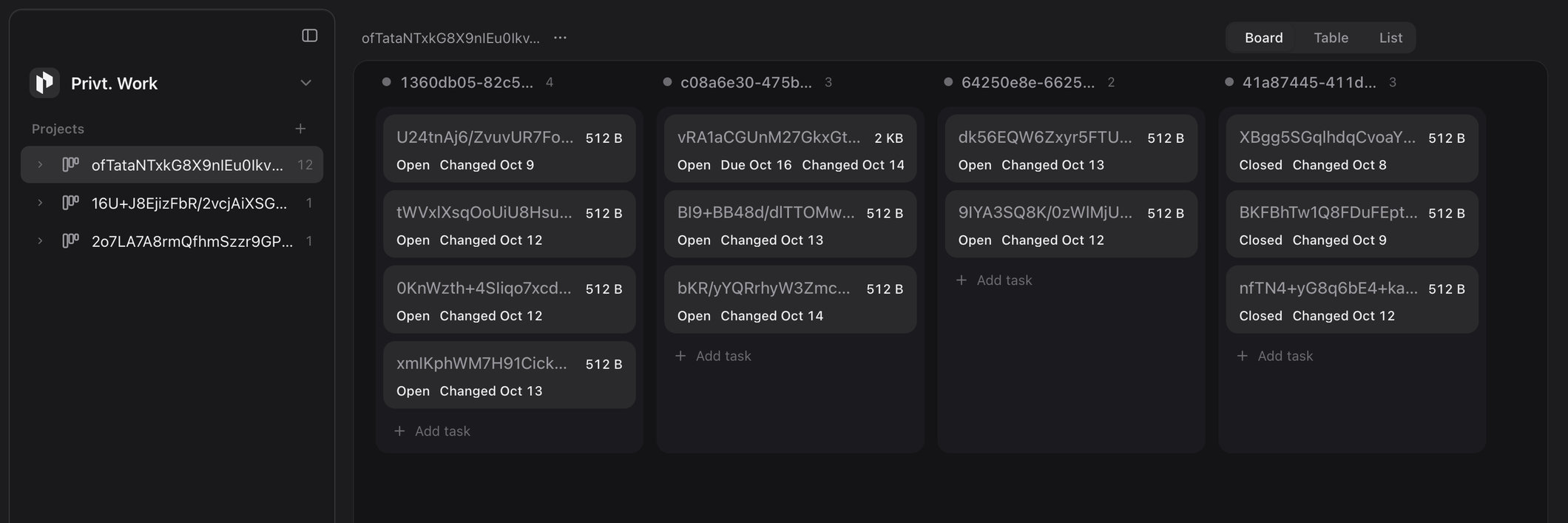
Events and tasks are sealed the same way as a page: each saved version gets a fresh 256-bit key and is encrypted with XChaCha20-Poly1305, an authenticated cipher, then padded so its size reveals only a coarse bucket. The size on each card is that bucket, and the other plain words come from the index row, which lets our cloud find the events in a given week, or the open tasks in a column in order, without opening anything sealed. Here is exactly what those rows hold, field by field, for an event and for the task “Write the launch post”, the card marked Due Oct 16.
then synced
version v3
size 2 KB
version v7
size 2 KB
Everything that describes an event or a task stays sealed. The names of your calendars, projects and columns are sealed inside each calendar’s or project’s own block, and each comment on a task syncs as a sealed block of its own; none of these has an index row. Having an index row does tell our cloud that a block is an event or a task, and its random ids show which calendar, or which project and column, it belongs to.
Our cloud records the day an event or task last changed, not the time of day, with a counter that keeps edits in order for sync and so also shows how many changes were made that day. The index also has fields for a repeat rule and its time zone and for reminder lead times in minutes. We list these because the cloud is built to hold them. The repeat and reminder fields are empty today, because Privt does not yet create repeating events or event reminders, and the cloud’s record of reminders it has sent is empty because it sends none. Delete an event or a task and its index row goes in the same step, leaving a deletion marker (the random id, a version number and the day) so your other devices remove their copy.
An encrypted calendar whose server sorts and finds events by time keeps those times readable, and Proton Calendar keeps them readable too: its privacy policy says Proton has access to event start and end times (including time zone), repetition rules, event creation and update times, and event status, in order to send notifications and alarms. (Tuta says its calendar encrypts event times along with the rest of an event, so readable times are a common trade rather than a universal one.)
How this compares
Privt covers the everyday core of a workspace rather than all of it. There are no repeating events or event reminders yet, no invites or shared calendars, no assigning tasks or editing alongside other people, and no databases, and Privt runs only on the Mac and in the web vault, with no phone app. Within that core, the useful comparison is who can read what you store.
Notion set the shape of the all-in-one workspace and does the job well. It encrypts data at rest with AES-256 and in transit with TLS, with keys managed for it by a third-party key management service, so Notion’s systems can read the pages they store, as is ordinary for the category. Notion AI builds on that, embedding each page and sending the relevant pages to model providers including OpenAI and Anthropic; by default it does not train on your data. Notion Calendar is a separate app on top of your Google, Outlook or iCloud calendar, so your events stay with those providers.
Google Calendar encrypts data in transit and at rest, and Google says it processes your calendar content for features such as spam filtering and search, and does not use it for advertising. Customer-held keys come only with Workspace client-side encryption on Enterprise Plus, Education Standard and Education Plus, which covers an event’s description, attachments and Meet details but not its title or location; personal accounts cannot use it.
Proton is the closest peer, and it offers its services as a family of apps under one account: Mail, Calendar, Drive with Docs and Sheets inside it, Pass, VPN and more, with Proton Calendar inside the Mail app on the Mac. Its encrypted Notion alternative is built on Drive, Docs and Sheets, and Proton says plainly that Notion may be better for teams that need relational databases and wikis. As of October 2026 Proton has no task board; tasks are on its Calendar roadmap.
Proton Calendar encrypts an event’s title, description, location and stored guest list end to end. A calendar’s own name is treated differently, and because Proton’s web app is open source, you can read the code yourself: when you create a calendar, the form puts its name, description and color into the request as plain fields, and the app sends that request to Proton’s servers. Both links go to Proton’s code as it stood on October 10, 2026. Privt seals the names of your calendars, projects and columns.
 Notion
 One account
| In an event | Google Calendar | Proton Calendar | PrivtPrivt. Calendar |
|---|---|---|---|
| Title, place and notes | Processed by Google | Encrypted end to end | Encrypted end to end |
| Start and end time | Processed by Google | Readable to Proton, with time zone and repeat rule | Readable to Privt |
| Calendar name | Processed by Google | Sent as a plain field | Encrypted end to end |
| Guests | Processed by Google | Stored guest list encrypted, reply status readable | No invites in Privt |
Also new in Privt
When two devices edit the same page, Privt combines the edits, and if both changed the same paragraph it keeps the other version as a separate copy, so nothing is lost.
Privt for the Mac now comes in English, Simplified Chinese, Japanese, Korean and Russian.
A burn, which destroys your account’s cloud data with your burn code, also cancels its Privt Pro subscription, and any payment that arrives after a burn is refunded.
Update every Mac you use
Privt. Calendar and Privt. Work are in the latest version of Privt for the Mac, and with Privt Pro your events and tasks sync to your other Macs and to the web vault, sealed like your pages. Install the update on every Mac you use, so each one keeps signing in and syncing. The whitepaper sets out how the vault is built, key by key.