Korean, Japanese and Chinese, transcribed on your Mac
Privt. Voice now turns Korean, Japanese and Chinese speech into text with NVIDIA’s Nemotron 3.5, a speech model that runs on your Mac’s Neural Engine, so the audio stays on the device.
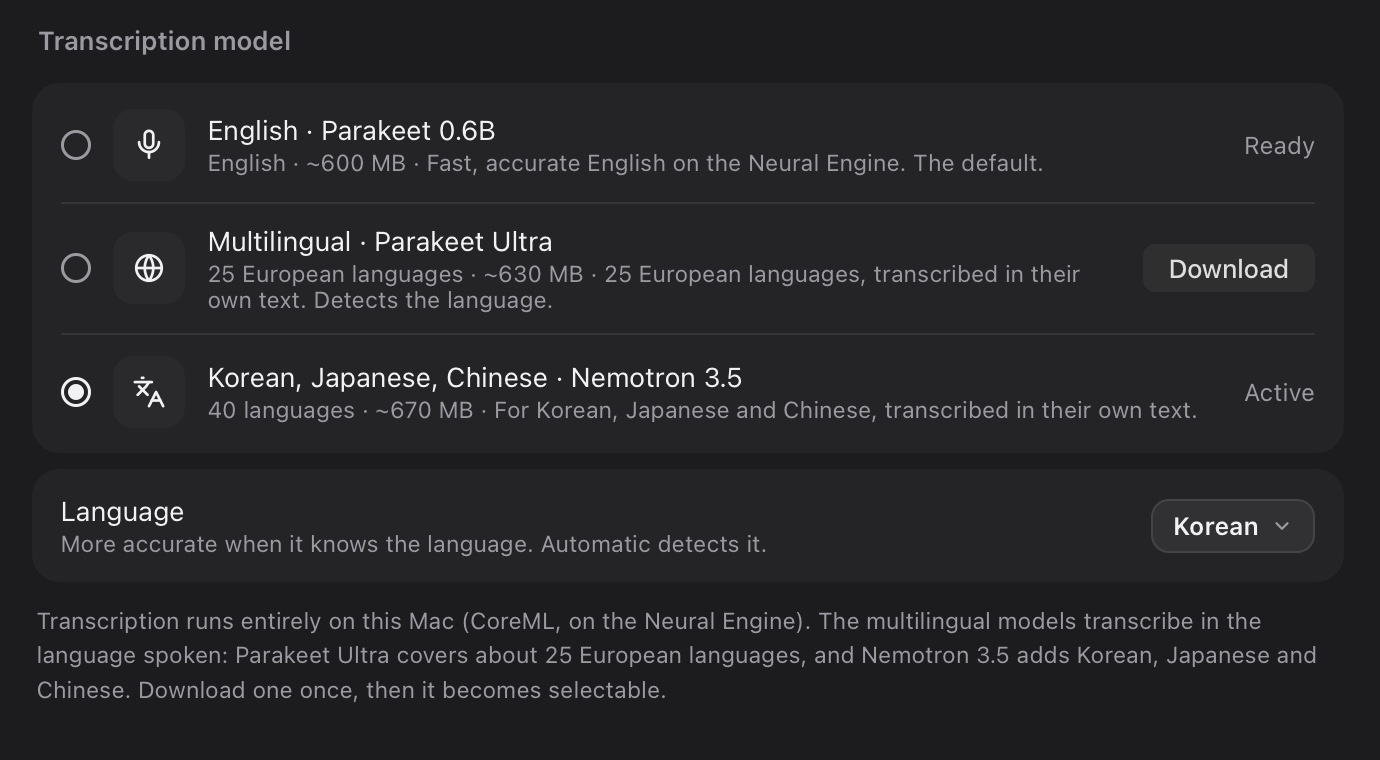
Privt. Voice has transcribed English and, as an optional download, 25 European languages on the Mac. It now adds Korean, Japanese and Chinese, for dictation into any app and for meeting notes. The new model is Nemotron 3.5 ASR Streaming 0.6B, which NVIDIA released in June 2026 for 40 language-locales and which Privt runs in CoreML on the Neural Engine. It writes what you say in the language you said it, in Hangul, in kana and kanji, or in Chinese characters.
How well it hears Korean
We measured it on FLEURS, a public test set from Google of people reading Wikipedia sentences aloud, using all 382 of its Korean test recordings (about 75 minutes of speech) on a Mac with an Apple M1 Max chip. Korean is scored by character, the way NVIDIA reports it: the character error rate counts the characters the model gets wrong, adds or leaves out, and divides them by the characters in the correct text, with spaces and punctuation set aside on both sides.
With the language set to Korean, Privt. Voice got 8.89% of characters wrong across the set, and 9.04% when it detected the language itself. NVIDIA reports 7.12% on the same test on its own hardware, with a shorter audio window (1.12 seconds) than the 2.24 seconds Privt uses, and scores the text in its own way.
| FLEURS Korean, 382 recordings | Character error rate |
|---|---|
| Privt. Voice, language set to Korean | 8.89% |
| Privt. Voice, detecting the language | 9.04% |
| NVIDIA’s figure for the model | 7.12% |
Most of those errors come from how numbers and foreign names are written down. In the 257 sentences written only in Hangul, the rate is 3.67%. The other 125 contain numbers or names in Latin letters and hold three quarters of the errors, much of it a number written out in words where the reference uses digits: for “그 주지사는 부상자 중 19명이 경찰관이라고 말했다”, Privt. Voice wrote “열아홉명” for “19명”, which reads correctly and still counts as three wrong characters.
The audio stays on your Mac
Most transcription services, for Korean, Japanese and Chinese as for other languages, upload the recording and transcribe it on their own servers. Privt. Voice runs the whole model on your Mac: the audio moves from the microphone into the model on the Neural Engine, the text goes into the app you are typing in or into a meeting note, and the audio is then discarded from memory. A meeting transcript is sealed into your vault on the Mac before it is stored, and with Privt Pro it syncs to your other Macs and to the web vault in that sealed form.
Where the model comes from
The model is a one-time download of about 670 MB, from our own server rather than from a third party. Before adopting it we read the changes to the open-source library that runs it, FluidAudio, and checked the model files our server provides, one by one, against the version their publisher released. After the download, transcription uses no network at all.
European languages, with fewer errors
The model for European languages moves to Parakeet Ultra, a version of NVIDIA’s Parakeet v3 that moondream retrained, covering the same 25 languages. In FluidAudio’s measurements on FLEURS it averages 11.67% of words wrong across 24 of them, against 14.81% for v3. It still detects the language, and you can now set one, which keeps its output to that language’s alphabet.
Update every Mac you use
Korean, Japanese and Chinese arrive in the next update of Privt for the Mac. The whitepaper sets out how the vault is built, key by key, and an earlier post shows how to check for yourself that dictation sends nothing over the network.